5 ways technology is changing how people with disabilities experience the world
For the past nine years, Microsoft has brought together people from different parts of the company at the Ability Summit. This year’s gathering is taking place May 29 to 30 at Microsoft’s headquarters in Redmond, Wash.
The summit, designed to empower all people – including the more than one billion people with disabilities – has been a place for accessibility innovation. In 2015 it helped give way to the Xbox Adaptive Controller.
Here’s a closer look at the controller and other recent technologies with inclusive design.
Seeing AI
Artificial intelligence is bringing descriptive detail to people in the form of an app, Microsoft’s Seeing AI.
Seeing AI is designed for people who are blind or with low vision. It augments the world around the user with audio descriptions. And it reads short bursts of text and scans product barcodes. Documents can be photographed and their content read back. Seeing AI also scans and reads handwritten notes
[Subscribe to Microsoft on The Issues for more on the topics that matter most.]
Soundscape
Microsoft Soundscape goes beyond immediate proximity to build a 3–D sound map of the user’s world.
It uses data and sound to add layers of information and context. In short, it helps users feel more comfortable when making their way around. Landmarks, road intersections and the places regularly visited can all be allocated a sound beacon so they can be clearly detected upon approach.
Soundscape’s synthesized binaural audio adds realism to directions, taking the map on a user’s phone and, effectively, creating an audio version.
Translation and captioning
Douglas Adams’s “The Hitchhiker’s Guide to the Galaxy“ described the “Babel Fish.” These clever creatures, once inserted into someone’s ear, would translate any language.
Being able to participate in multilingual conversations is no longer the preserve of fiction.
Microsoft Translator acts as a real-time translation hub sitting between people speaking different languages and translating on the fly. It can do this when multiple languages are being spoken at the same time. It can also be set English to English and provide real-time captioning for people who are deaf or hard–of–hearing.
Gaming gets serious
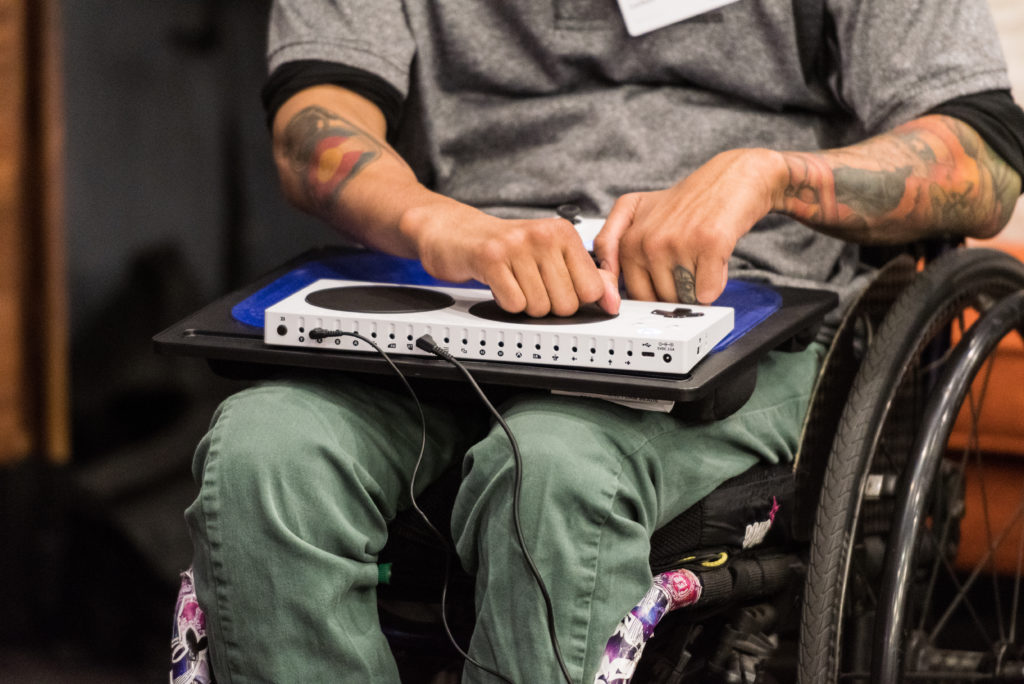
The global gaming market is a multibillion–dollar industry. To help make gaming more accessible, Microsoft introduced the Xbox Adaptive Controller, a product of the company’s Hackathon in 2015. This controller has large, programmable buttons and can be connected to a range of external devices. The combination of large and customizable switches, buttons, mounts and joysticks empower all gamers.
Code you can hold in your hands
Microsoft Code Jumper is the physical manifestation of a programming language that’s helping children who are blind or with low vision learn to code. Code Jumper is made of a series of programmable, tactile plastic switches, or pods. Each pod is an instruction, and can be joined together to create a line of code.
It means all children studying coding as part of their school curriculum can benefit. Children can learn about sequence, iteration, selection and variables. And they learn how to solve a problem by thinking algorithmically — breaking a process down into its constituent parts and looking for different routes to the best solution.
For more on these innovations and accessibility initiatives at Microsoft, visit microsoft.com/en-us/accessibility and follow @MSFTIssues on Twitter.